Recipes
Experimental, off by default. Turn on Remember verified work on Memory → Settings (knoxchat.recipes.enabled). Agent Settings (the chat gear) does not list recipe knobs.
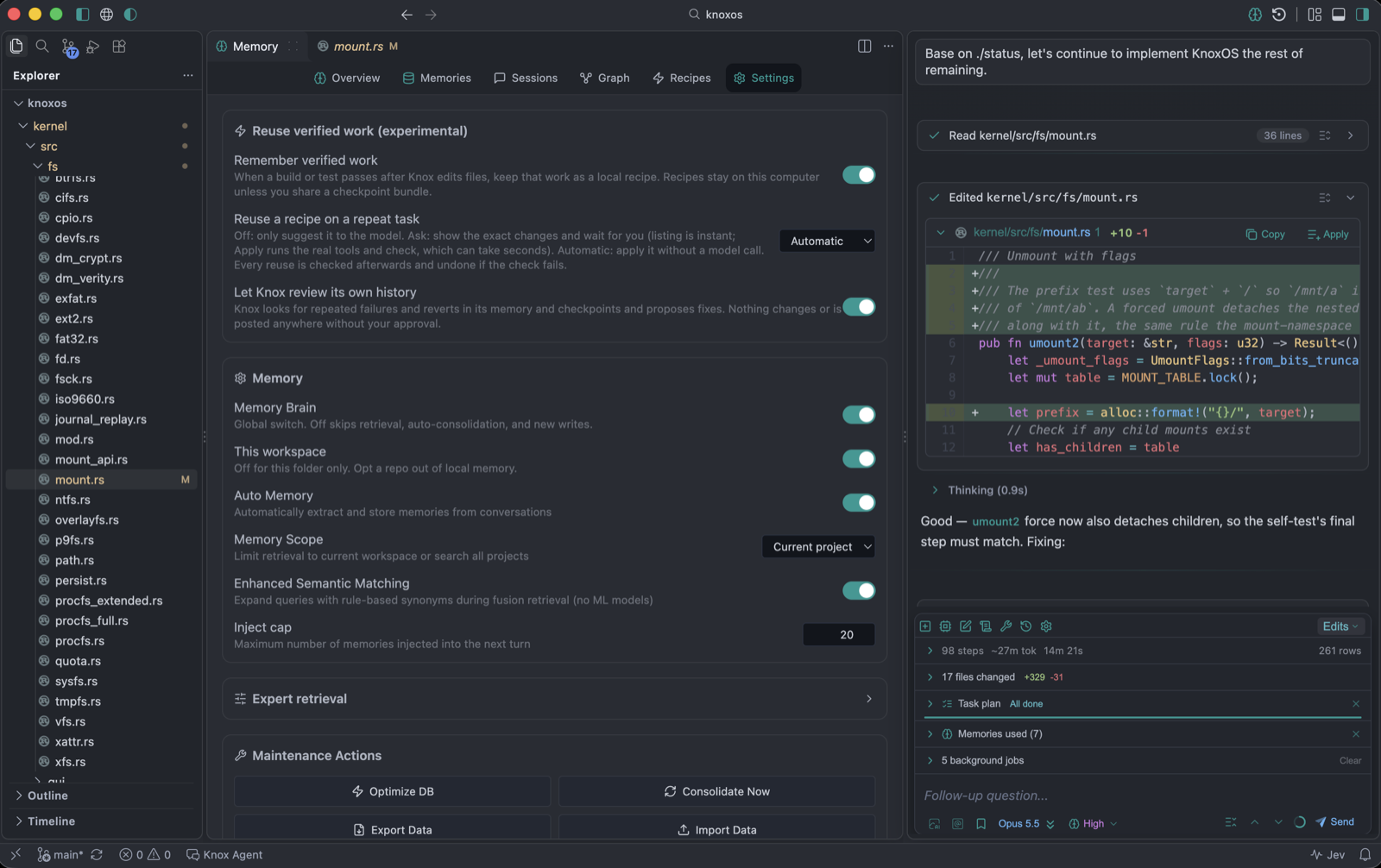
Sending the same chat message twice does not create a recipe. Recipes record verified file-changing work, then replay that work. A question, a review, or a turn that only reads files leaves the Recipes tab at 0.
1. Turn it on
| Control | Setting | What to pick |
|---|---|---|
| Remember verified work | knoxchat.recipes.enabled | On |
| Reuse a recipe on a repeat task | knoxchat.recipes.autoReplay | Ask to preview first; Automatic (exact) to apply without a model call; Off only injects a hint |
| Let Knox review its own history | knoxchat.selfImprove.enabled | Optional — Self-improve |
They are real VS Code settings, so settings.json stays in sync.
2. Run a task that can be saved
Ask Knox to change code in this project. A turn is saved only when all of these are true:
- Knox actually wrote or patched files (
builtin_edit_file,builtin_write_file,builtin_apply_patch, and similar). - A check passed afterwards: LSP diagnostics (“no diagnostics”), a build, or tests. If verification is skipped (C/asm without
knoxchat.verifyCommand, rust-analyzer not ready, orknoxchat.verifyModeoff), nothing is saved. - A checkpoint exists for the turn, the diff is not empty, and the files do not look like secrets.
Typical first recipe: “add a lint script to package.json” or “fix the failing test in Foo.test.ts”, then wait until the edit lands and the check is green.
After that turn, chat may show a dismissible toast (saved as candidate, or the skip reason) with a Memory → Recipes link. Open Memory → Recipes. Refresh if you were already on the tab.
3. Candidate → Verified
A candidate is not replayed. It becomes Verified when:
- you accepted the result, or
- the same task (same intent) passed a check a second time.
Automatic reuse only looks at verified recipes. Verify on the tab accepts a candidate that already has a passing check.
4. Send the same task again
knoxchat.recipes.autoReplay | What happens |
|---|---|
exact | Applies the saved files without a model call, tells you in chat, offers Undo. Check runs again; failure restores a pre-replay checkpoint and continues with the model. |
ask | Preview card (Apply / Skip). Nothing changes until Apply. |
off | Recipe is only shown to the model as an example. |
If target files changed since capture, Knox will not overwrite blindly: clean 3-way merges apply; conflicts fall back to the model.
The preview listing is instant; Apply runs the real tools and the recorded check, which can take seconds.
What you will not see a recipe for
- Questions, explanations, reviews, or any turn that did not mutate files
- Edits whose diagnostics/build/tests failed or never ran
- Turns with secrets, too many files (over 50), or no checkpoint
- A second identical chat before a first candidate exists
Safety
- Pre-replay checkpoint first. Undo restores it. Undo within 10 minutes counts as a revert; that recipe is quarantined and never replayed again.
- Writes and commands go through the normal tool path: permission mode, command guard,
.knoxignore, path boundary, Review edits. A write held for review counts as not applied and is rolled back. - Delete steps, binary files, and commands that use the network or carry secrets are never replayed.
- Budget: 200 recipes. Sleep consolidation purges retired/quarantined rows older than 30/90 days.
- Imported recipes (checkpoint bundle) start as candidate and are never auto-replayed until verified on this machine.
Recipes tab actions
Preview / Replay (verified) · Verify · Restore (quarantined → candidate) · Quarantine · Retire (asks first; frees checkpoint data) · Save as project/global skill after three clean replays (never overwrites an existing skill). Source checkpoint chips open that snapshot on the Checkpoint Graph.
Only this project’s recipes (and ones you promoted to all projects) are listed.
Checkpoint Dashboard AI Sessions tab estimates tokens saved, model calls avoided, and wrong-reuse rate. Token numbers are output-only estimates (4 characters per token).
Privacy
Local sqlite only. Text redacted; file bytes stay in checkpoint blobs. A recipe leaves the machine only if you share a checkpoint bundle that includes it.