How checkpoints work
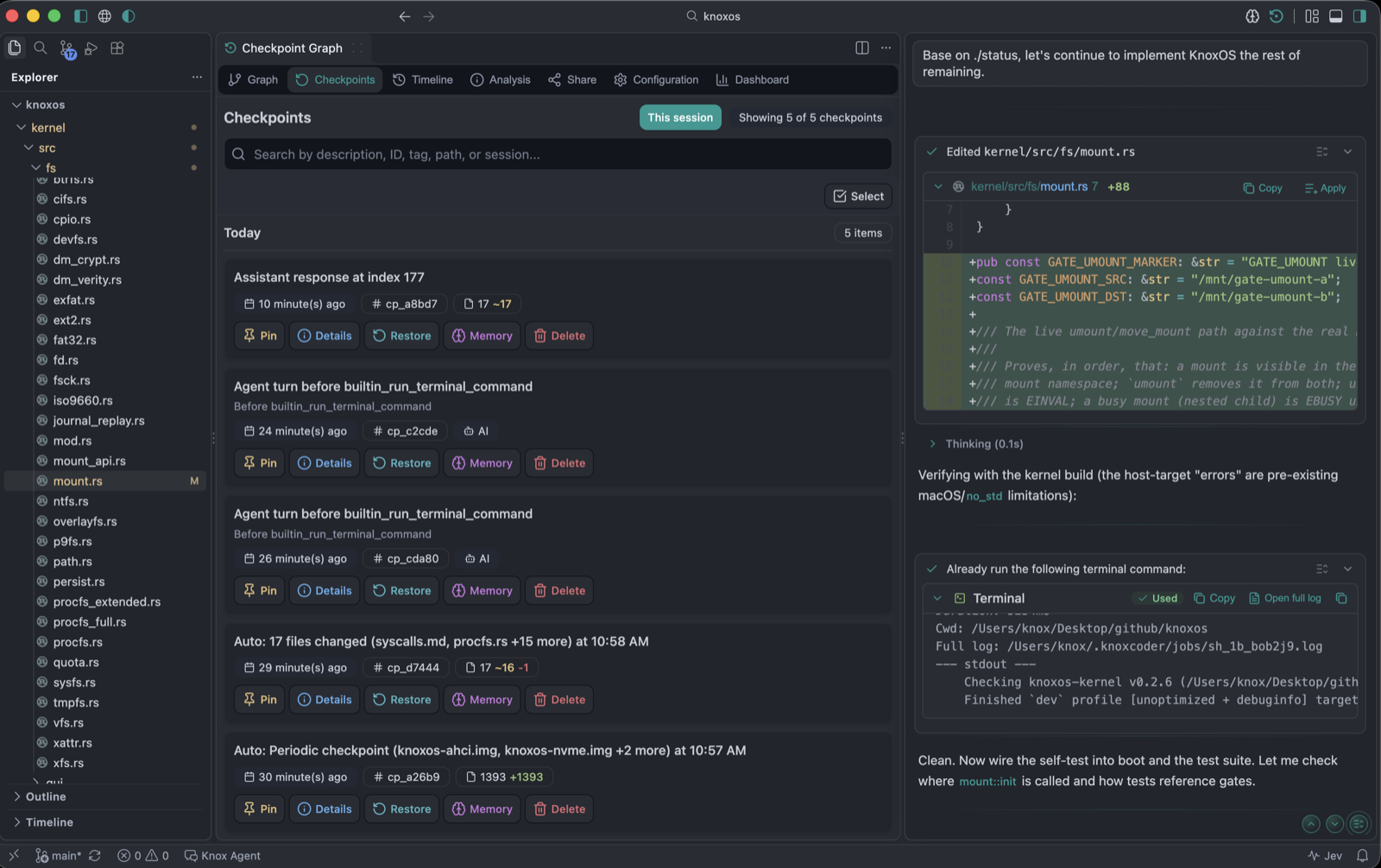
Before a turn changes files, Knox takes a checkpoint: a snapshot of the workspace it can restore later. Checkpoints are not git. They do not need a repo. They live under ~/.knoxcoder (per folder in a multi-root window).
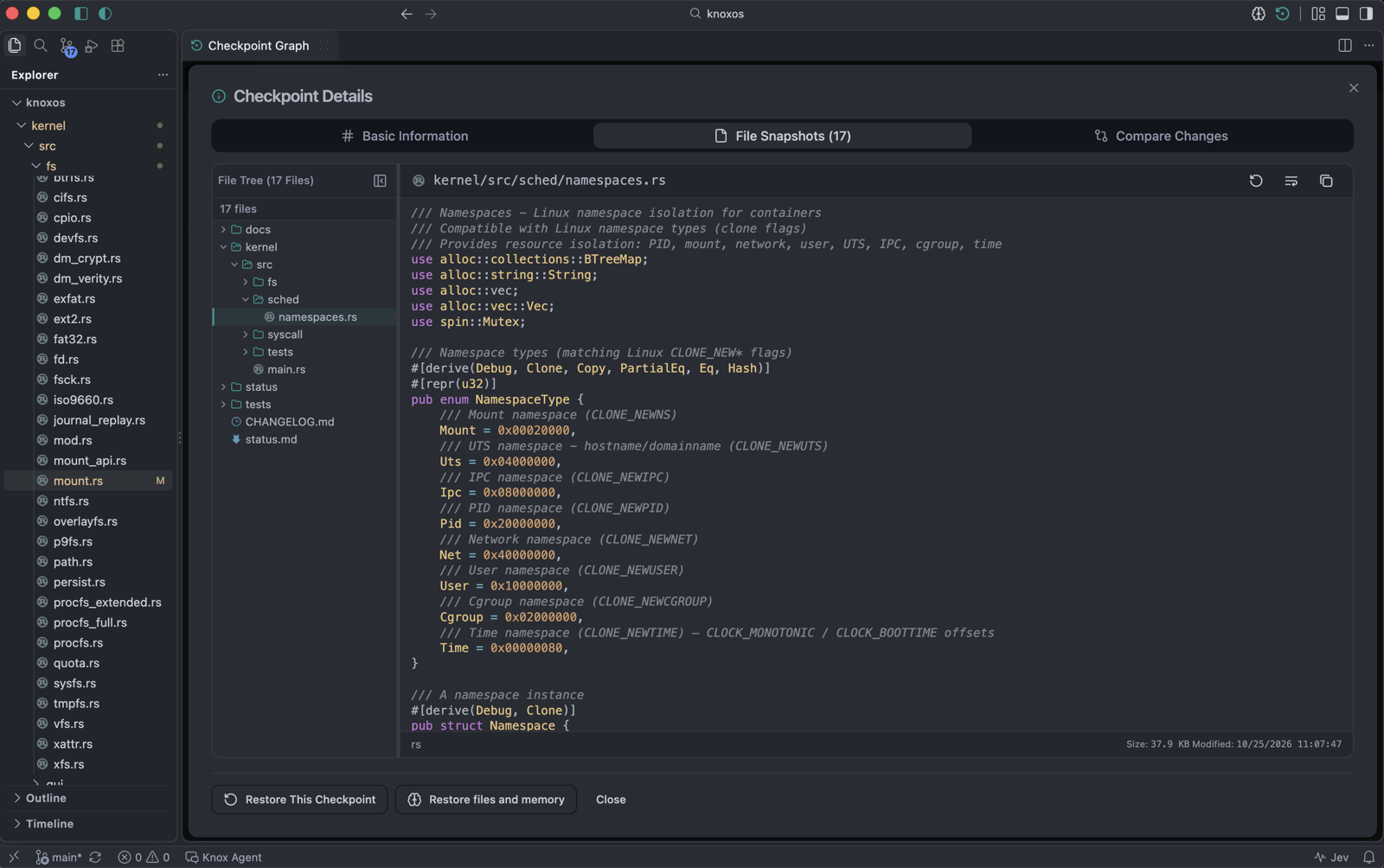
They are byte-exact, not redacted. That is by design: restore must round-trip the original files. Secret files (.env*, keys) are not read by the agent without approval, but a checkpoint of a file you already have on disk is a copy. Keep ~/.knoxcoder user-only. Optional knox.checkpoints.encryptAtRest encrypts blobs with AES-GCM (key in OS keychain / Secret Storage); manifests still list paths.
One labeled point per agent turn
A pre-risky snapshot is adopted as that turn’s checkpoint. You see a short label (for example Add JWT middleware · 3 files in src/auth) on the Checkpoint Graph and in search. File-threshold auto-checkpoints are skipped while the turn is active.
Each turn checkpoint records the (redacted) request that caused it.
Prefer Knox: Undo Last Assistant Operation / checkpoint restore over git reset for agent-created snapshots.
What is captured
- Workspace files, subject to
.knoxignore(repo +~/.knoxcoder/.knoxignore) - Nested
.knoxignoreis honored - Binary files can be snapshotted (
knox.checkpoints.captureBinaryFiles, default on) - Files over 5 MB (
knox.checkpoints.maxFileSizeBytes) are skipped and loggedtoo_large - Unchanged files match the live index by SHA-256 so they do not look dirty
Knox: Create global .knoxignore seeds a user ignore file. Secrets stay ignored unless you un-ignore them there.
Caps
| Setting | Default |
|---|---|
knox.checkpoints.maxCheckpoints | 1000 (plus pins). Oldest unpinned go first. |
knox.checkpoints.maxFileSizeBytes | 5 MB |
knox.checkpoints.maxStorageBytes | 1 GB |
knox.checkpoints.maxFilesPerCheckpoint | 10 000 — warns, never silently drops files (truncation would make restore incomplete) |
knox.checkpoints.retentionDays | 7 (with auto-cleanup) |
knox.checkpoints.smart.maxCheckpoints is ignored (deprecated). Smart create uses the engine cap above.
Open the UI: title-bar graph, Knox: View Checkpoints, or Knox: Open Checkpoint Graph.
The agent tool is builtin_workspace_checkpoint (list / create / create_branch / diff / preview_restore / pin / restore / delete). Restore and delete always ask. Memory rewind is a separate checkbox (rewind_memory, default off).